Profile pictures and avatars
A cartoon avatar sidesteps the awkward question of whether you want your actual face on a public forum, while still looking like you.
◆ AI CARTOON MAKER
Drawing a decent caricature of someone takes an illustrator a couple of hours and costs about what a nice dinner does. Most people who want one — for a profile picture, a birthday card, a print for the hallway — never get that far.
This tool redraws your photo in one of six styles and hands the result back in roughly ten seconds. It is an editing model, not a generator: it keeps the face, the pose and the framing, and changes only how the picture is drawn.
Every example below started from the single photograph on the left. Nothing was retouched by hand, and each one used the same prompt the tool sends when you press Convert. The source portrait is synthetic — the person in it does not exist.
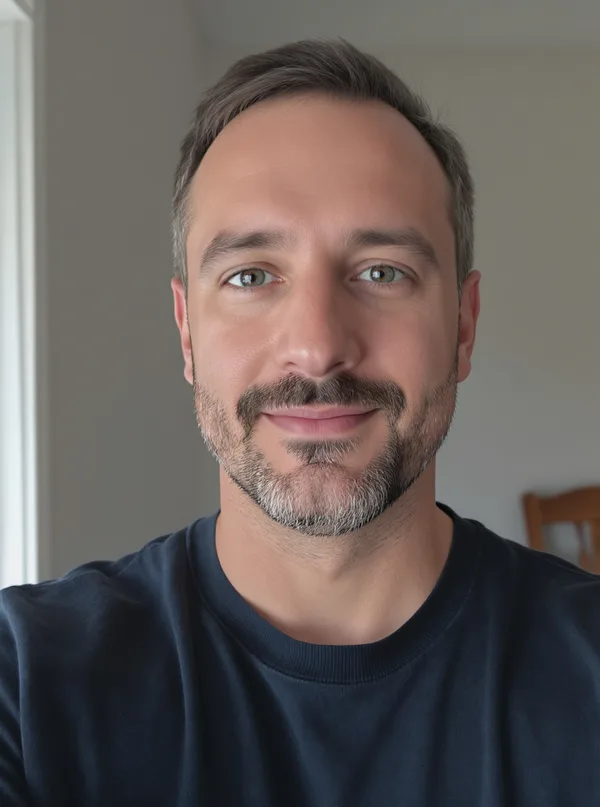
Source photo, before any styling
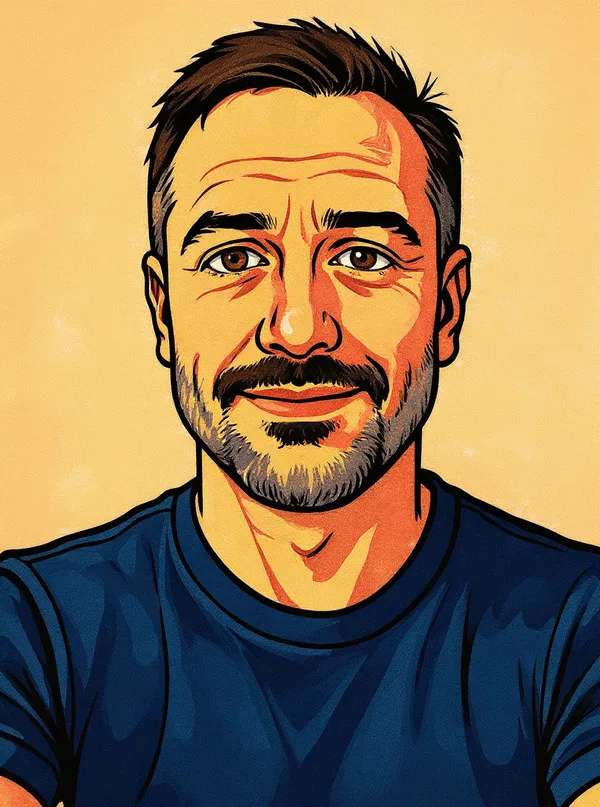
Bold ink outlines, flat cel shading and a halftone texture. The most recognisable of the six and the safest choice for a profile picture, because the face stays closest to the original.
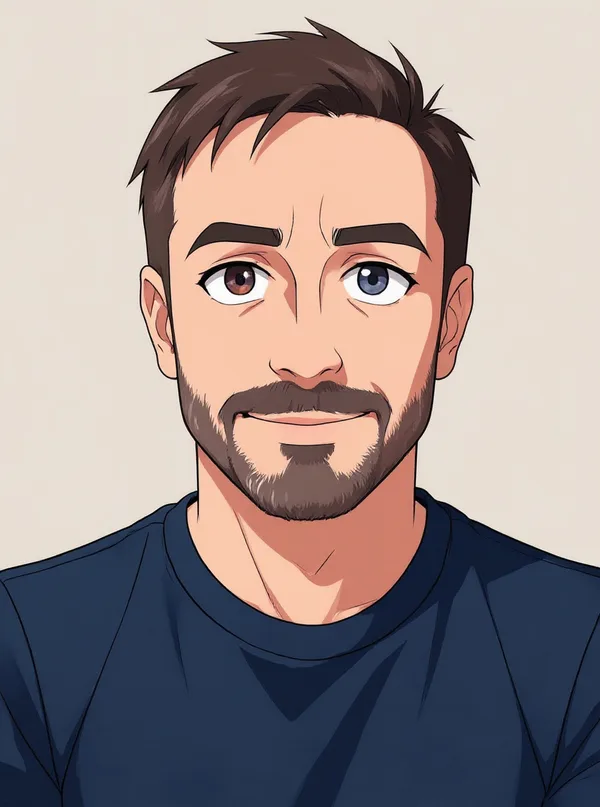
Clean line art, larger eyes, soft gradient skin. Stylises the face more than Comic does, so expect a likeness rather than a portrait.
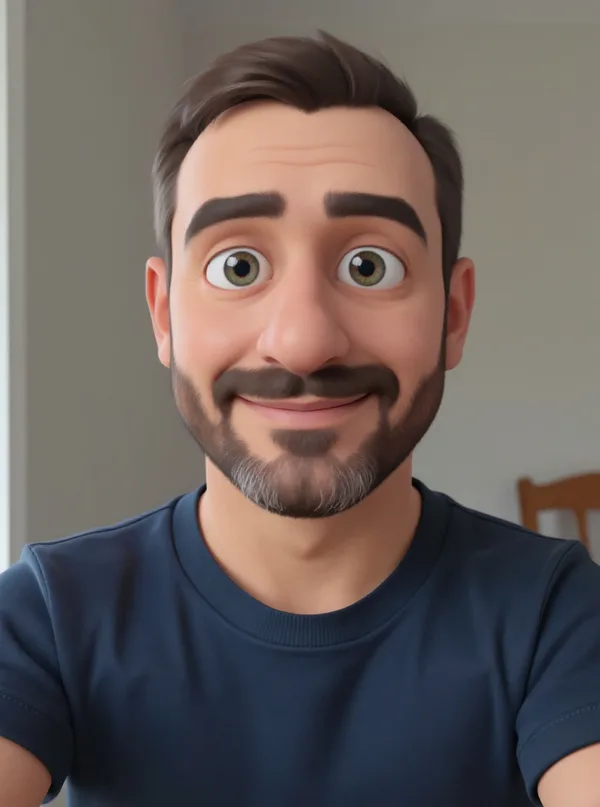
The rounded, soft-lit look of a modern animated film. Reads well at small sizes, which makes it the usual pick for avatars.
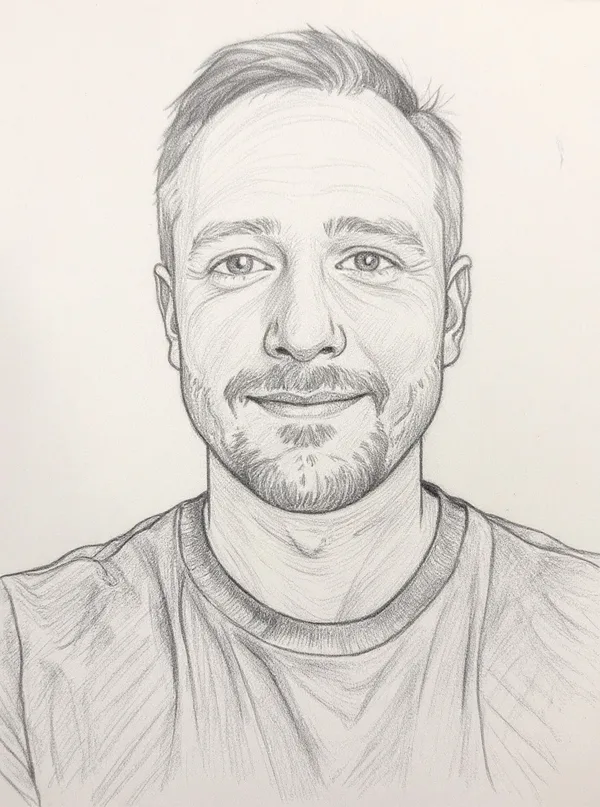
Graphite hatching on paper, no colour. Works best on well-lit faces; in a dark photo there is not enough tonal range to draw with.
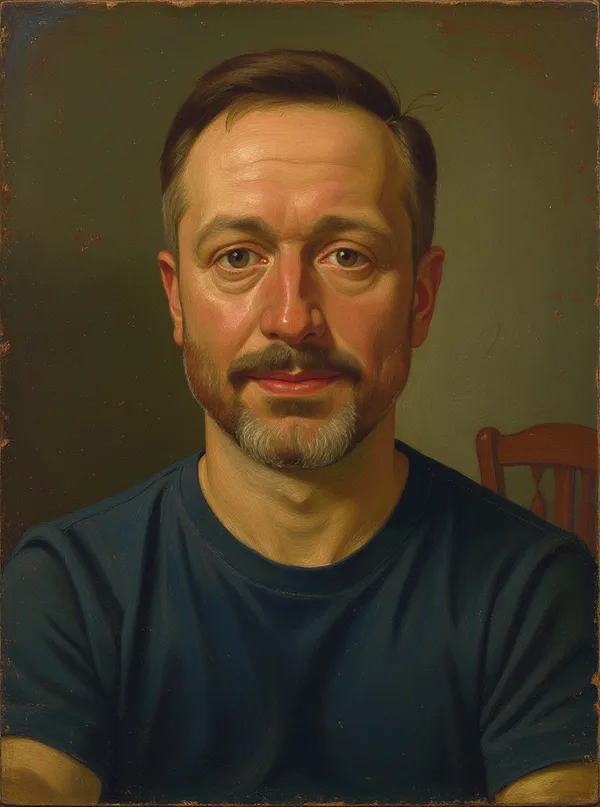
Visible brushwork and a warm, darker palette. The least cartoon-like option — closer to a painted portrait than a caricature.
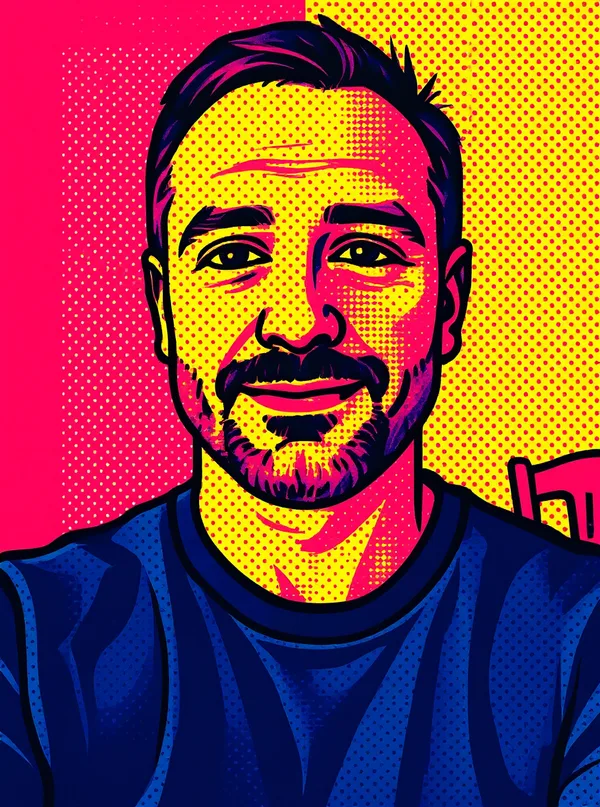
Four or five saturated colours, thick outlines, Ben-Day dots. The most aggressive stylisation; good for posters, poor for subtlety.
A cartoon avatar sidesteps the awkward question of whether you want your actual face on a public forum, while still looking like you.
A birthday card, a mug, a framed print of a couple or the whole family. The 3D and comic styles hold up best when printed.
Dogs and cats work; the model handles fur better than it handles very small faces in a group shot.
Pop-art and comic read clearly at thumbnail size, where a photograph often turns to mush.
Two or three people are fine. Beyond that, faces get small and the model starts inventing detail.
The pencil sketch output is a reasonable starting point if you intend to redraw the picture properly yourself.
Light matters more than resolution. A well-lit phone photo beats a dark photo from a good camera. The model reconstructs what it can see; in shadow it guesses, and guesses look wrong on a face you know.
The face should be a decent share of the frame. A full-body shot from ten metres away gives the model perhaps forty pixels of face to work with. Crop in before you upload.
Strength does what it says. “Soft” stays close to the photograph and is the right choice when the likeness matters. “Strong” produces a full illustration and takes more liberties. “Balanced” is the default for a reason.
Sunglasses and masks confuse it. Anything that hides the eyes removes the feature the model leans on hardest.
Run it twice. Every run is a slightly different interpretation. If the first one is close but not right, press Regenerate rather than switching style.
Most tools on Bubixo run in your browser or on our own server, and we say so on their pages. This one is different and it would be dishonest to blur that. Producing an illustration needs a graphics card we do not own, so your photo is sent to an external AI service (the FLUX Kontext model) and the finished picture comes back.
Your photo is not stored. The provider deletes the inputs, outputs and logs of an API request within an hour; our own copy goes within 24 hours. Your browser never talks to the provider directly — the request goes through our server, so your IP address and your photo are not handed to a third party together.
No account, no email address, nothing to sign. What we do keep is a count of how many conversions your IP address has run today, so that the free allowance means something.
The obvious caveat still applies: do not upload anything you would not want a third party to process, and do not use a photograph of someone else without asking them first.
3 conversions per day per visitor, no account and no watermark on the result. That is not a trial that expires; it resets every day.
The limit exists because every conversion costs us real money at the provider — unlike the tools that run on our own hardware, where the marginal cost of one more run is nothing. There is also a daily ceiling across all users; if it is reached the tool says it is busy rather than quietly failing.
Accepted formats are JPG, PNG and WebP up to 12 MB. Anything larger than 1536 pixels on its long edge is scaled down before it is sent, which is also why the result comes back at that size.
Yes. 3 free conversions per day, no signup and no watermark on the result. The allowance resets daily.
Yes. The model redraws the style but preserves identity, pose, framing and the number of people in the shot. Choose “Soft” for the closest match to the original, “Strong” for a full illustration.
Comic book, anime, 3D cartoon, pencil sketch, oil painting and pop-art. You can also choose whether the background is restyled with the subject or left largely as it is.
No. It is sent to the AI provider for processing only. The provider deletes inputs, outputs and logs within an hour, and our copy is deleted within 24 hours. Your browser never contacts the provider directly.
Yes. It works in any modern mobile browser, and the result can be shared straight from the page or saved to your camera roll.
Yes. Pets work well. Group photos work when the faces are well lit and not too small — with more than three or four people the model starts inventing detail in the smaller faces.
JPG, PNG and WebP up to 12 MB. Larger photos are scaled to 1536 pixels on the long edge before processing, so that is the size that comes back.
Pick a photo where the face is clearly lit, choose Comic and leave the strength on Balanced. That combination is the one that surprises people.
Open the AI Cartoon Maker →If the photo you want to cartoonize is small or blurry, sharpen it first — the cartoon model can only draw what it can see.
Cut the subject out of a busy background before styling, or lift the finished cartoon onto a plain colour for a card.
Shrink the finished picture before sending it around or using it as an avatar, without a visible drop in quality.
The opposite job: a correctly sized, plain-background photograph that has to look exactly like you.